

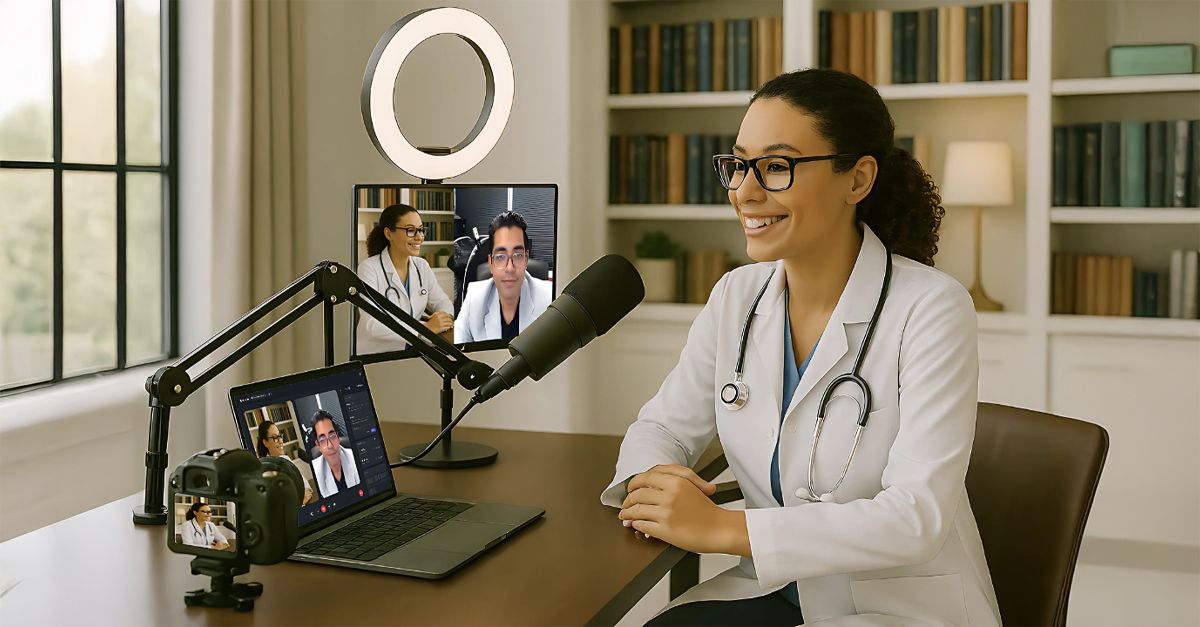
Whether you’re just getting started or deep into your podcasting journey, we’re excited to have you here. You’ve spent years becoming the brilliant medical professional you are. Now that your voice is reaching podcast listeners around the world, it’s time to make sure your podcast presence reflects that same level of insight and impact.
This guide is built specifically for a video-based remote interview podcast—where you and your guest join from different locations but appear on camera. It’s the ideal format for platforms like Spotify Video, Apple Podcasts, YouTube, and other destinations where high-quality, expert-led conversations shine. Whether you’re appearing on video or sticking to audio-only, we’ve included everything you need to look sharp, sound great, and feel confident.
Here’s what you’ll get:
- A breakdown of video and audio essentials for podcasting
- Step-by-step tips paired with visual examples
- Simple setup guidance you can do yourself—no tech team required
Let’s bring your brilliance to the mic—and the screen—with clarity, confidence, and presence.
Why Look Pro on Video
Your visual presence matters when you’re on camera, on stage, or even at your desk.
Looking professional on camera sets the tone from the very first frame. A polished on-screen presence lands your message with authority, impact, and confidence.
This section reminds you that the way you show up on screen is the fastest way to:
- Establish Your Brand – Let your unique voice stand out
- Communicate Professionalism – Show your viewers they’re in capable hands
- Impress Your Viewers – Keep attention, build trust, and create credibility
- Feel Good About Yourself – Your confidence is highest when you know you look good

The Main Components
These four pillars are all the basics to transform your podcast space.
- Lighting – Shapes how you’re seen and sets the mood
- Camera – Frames your presence and adds visual authority
- Audio – Carries your message with clarity and credibility
- Computers & Tech – Powers your setup and keeps it running smoothly

Desk Layout
Your desk is your cockpit—everything should be within reach, stable, and easy to manage. A smart layout keeps your space tidy, your workflow smooth, and your recording experience distraction-free.
Desk Dimensions
– Approx. 160 cm wide x 65 cm deep
Pro tip: Skip the floor stands—they clutter your space and trip you up. Clamp what you can to your desk for a cleaner, more functional setup.

Lighting 1
Lighting is where most setups fall short—and where you’ll stand out if you get it right. The goal is simple: soft, natural-looking light that flatters your face and avoids harsh shadows.
Not a lighting expert? No problem. Just follow these visuals like a checklist.

Lighting 2

Camera 1
Your camera doesn’t just capture your face—it communicates your presence. A well-placed, properly powered camera adds clarity, focus, and polish to every episode. Whether using your built-in webcam or investing in a mirrorless upgrade, getting the basics right makes a big difference.
Can’t afford a mirrorless camera right now? Use your laptop cam, but upgrade your lighting and framing. Want the “podcast look”? Save up for a fast lens (f/1.4 is gold).
📏 Keep your camera at eye level. Always.

Camera 2

Audio
When it comes to podcasting, audio is everything. Viewers will forgive an average camera—but if your sound is echoey, muffled, or inconsistent, they’ll tune out fast.
The good news? Great audio is easy to achieve with the right mic and a few simple positioning tricks. Whether you’re using a podcaster-style mic or a lavalier, this section will help you sound sharp, clear, and confident—no editing magic required.

Tech Stuff 1
This is where your tools come together. No complex coding. No AV team. Just a simple, functional setup that supports your workflow and helps you focus on your message.
You’ve already done the hard part: becoming the expert. Now let’s make sure your gear keeps up.

The Hookup
Here’s how all the pieces come together. If it looks complicated, don’t worry. This is a one-time setup that, once in place, you won’t have to mess with again.
✅ Just follow the diagram, match your devices, and plug them all in.
🎯 Once everything’s working, label your cables—you’ll thank yourself later.

Hardware
Want to order the gear? These links go straight to the recommended products. We’re not affiliated—we just know they work well and they’ve been tested in real podcast setups.
Start with these basics:
- USB microphone
- LED key light
- Desk clamp
- USB hub
- Camera (when you’re ready)
Start simple. Upgrade as your podcast grows.
Click Links Below to Find Online
You now have a complete guide to setting up a professional-quality podcast space—from lighting and cameras to audio and tech. Each component plays a role in helping you look and sound like the expert you already are.
Whether recording solo episodes or hosting interviews, your setup now supports your brilliance—clearly, confidently, and consistently.
Congratulations on leveling up your podcast presence! From everyone at DrTalks: Good luck, have fun, and keep sharing what matters.
#DrTalks #Podcast #Makeover #DrTalks




Leave a Reply